
Archive for the 'Old Site' Category
The Dooce Effect…
And now for an imagemagick script that does the dooce effect. You’ll need imagemagick and the perl bindings installed for it to work.
Download dooce.pl
Usage:
perl dooce.pl in.jpg out.jpg
And remember, not every image needs to be dooced.
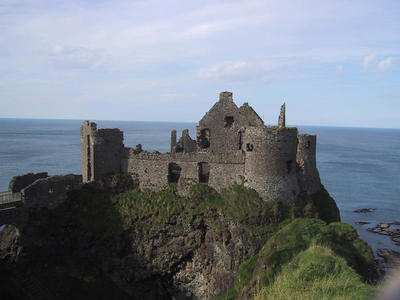
Before:
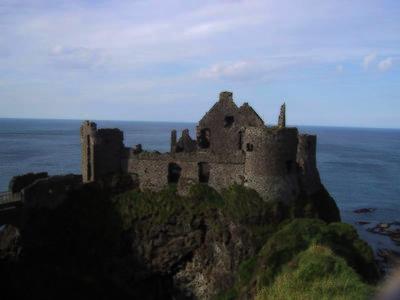
After:
The Dooce Effect…
And now for one imagemagick script that does the dooce effect. You’ll need imagemagick and the perl bindings installed for it to work.
Download dooce.pl
Usage:
perl dooce.pl in.jpg out.jpgNo comments
Updated Imagemagick Thumbnail script
A few years ago, I posted a script that I used for generating image thumbnails. I’ve changed my usage of it, so I’m posting another go of it. Since then, OSX has shipped, the Imagemagick .pkg distribution comes with the perl bindings, and I’ve figured out that I generally just want three sizes and 90 degree rotations for the images.
So I generate three sizes into a seperate directory from (usually) 1600px max size images: a 175px (thumbnail, -tm), 400px (medium, -md) and 800px (penultimate, -pt). There’s also a straight 90 degree rotation for each size that gets a -r in the filename. There are also a few index.html files for that quick web based overview.
Call the script using
perl thumbnail.pl directory
This script assumes that your source images are in ~/Pictures/directory/, and that the output should be put in ~/Sites/thumbs/directory/. Edit the paths if you want them in different locations.
Download thumbnail.pl.
No commentsUpdated Imagemagick Thumbnail script
A few years ago, I posted a script that I used for generating image thumbnails. I’ve changed my usage of it, so I’m posting another go of it. Since then, OSX has shipped, the Imagemagick .pkg distribution comes with the perl bindings, and I’ve figured out that I generally just want three sizes and 90 degree rotations for the images.
So I generate three sizes into a seperate directory from (usually) 1600px max size images: a 175px (thumbnail, -tm), 400px (medium, -md) and 800px (penultimate, -pt). There’s also a straight 90 degree rotation for each size that gets a -r in the filename. There are also a few index.html files for that quick web based overview.
Call the script using perl thumbnail.pl [directory]
This script assumes that your source images are in ~/Pictures/[directory]/, and that the output should be put in ~/Sites/thumbs/[directory]/. Edit the paths if you want them in different locations.
#! /usr/bin/perl
use Image::Magick;
$targetExtension = "(jpg)|(tif)|(bmp)|(JPG)";
$thumbnailExtension = "jpg";
$thumbnailSize = "175x175";
$mediumSize = "400x400";
$thumbnailName = "-tm";
$pentSize="800x800";
$mediumName = "-md";
$lgName = "-lg";
$pentName = "-pt";
($startDir, @rest) = @ARGV;
my $image;
$destDir = $ENV{HOME}."/Sites/thumbs/".$startDir;
if (!( $startDir =~ /\//)){
$startDir = $ENV{HOME}."/Pictures/".$startDir;
print $startDir, "\n";
}
opendir (START, $startDir) || die "Couldn't Open Start dir: $startDir";
@files = readdir(START);
closedir (START);
if (not -d $destDir) {
mkdir ($destDir, 0775);
}
open (OUTFILE, ">$destDir/index.html") or die "Couldn't open index.html";
open (OUTFILE2, ">$destDir/index2.html") or die "Couldn't open index2.html";
open (OUTFILE3, ">$destDir/index3.html") or die "Couldn't open index3.html";
foreach $file (sort @files) {
($fname,$extension) = split(/\./,$file);
$fname =~ s/$lgName//;
if ($extension =~ /$targetExtension/i) {
print "$fname \n";
$image = new Image::Magick;
$image->Read("$startDir/$file");
$image->Scale(geometry=>$pentSize);
$image->Write("$destDir/$fname$pentName.$thumbnailExtension");
$image->Rotate(degrees=>90);
$image->Write("$destDir/$fname$pentName-r.$thumbnailExtension");
$image->Scale(geometry=>$mediumSize);
$image->Write("$destDir/$fname$mediumName-r.$thumbnailExtension");
$image->Rotate(degrees=>270);
$image->Write("$destDir/$fname$mediumName.$thumbnailExtension");
$image->Scale(geometry=>$thumbnailSize);
$image->Write("$destDir/$fname$thumbnailName.$thumbnailExtension");
$image->Rotate(degrees=>90);
$image->Write("$destDir/$fname$thumbnailName-r.$thumbnailExtension");
print OUTFILE "< \a href=\"$fname$pentName.$thumbnailExtension\">![]() \
n";
print OUTFILE2 "< \a href=\"$fname$pentName-r.$thumbnailExtension\">
\
n";
print OUTFILE2 "< \a href=\"$fname$pentName-r.$thumbnailExtension\">![]() \n";
print OUTFILE3 "< \a href=\"$fname$pentName.$thumbnailExtension\">
\n";
print OUTFILE3 "< \a href=\"$fname$pentName.$thumbnailExtension\">![]() < /a>\n";
}
}
close OUTFILE;
close OUTFILE2;
close OUTFILE3;
< /a>\n";
}
}
close OUTFILE;
close OUTFILE2;
close OUTFILE3;
No comments
Updated Imagemagick Thumbnail script
A few years ago, I posted a script that I used for generating image thumbnails. I’ve changed my usage of it, so I’m posting another go of it. Since then, OSX has shipped, the Imagemagick .pkg distribution comes with the perl bindings, and I’ve figured out that I generally just want three sizes and 90 degree rotations for the images.
So I generate three sizes into a seperate directory from (usually) 1600px max size images: a 175px (thumbnail, -tm), 400px (medium, -md) and 800px (penultimate, -pt). There’s also a straight 90 degree rotation for each size that gets a -r in the filename. There are also a few index.html files for that quick web based overview.
Call the script using perl thumbnail.pl [directory]
This script assumes that your source images are in ~/Pictures/[directory]/, and that the output should be put in ~/Sites/thumbs/[directory]/. Edit the paths if you want them in different locations.
#! /usr/bin/perl
use Image::Magick;
$targetExtension = "(jpg)|(tif)|(bmp)|(JPG)";
$thumbnailExtension = "jpg";
$thumbnailSize = "175x175";
$mediumSize = "400x400";
$thumbnailName = "-tm";
$pentSize="800x800";
$mediumName = "-md";
$lgName = "-lg";
$pentName = "-pt";
($startDir, @rest) = @ARGV;
my $image;
$destDir = $ENV{HOME}."/Sites/thumbs/".$startDir;
if (!( $startDir =~ /\//)){
$startDir = $ENV{HOME}."/Pictures/".$startDir;
print $startDir, "\n";
}
opendir (START, $startDir) || die "Couldn't Open Start dir: $startDir";
@files = readdir(START);
closedir (START);
if (not -d $destDir) {
mkdir ($destDir, 0775);
}
open (OUTFILE, ">$destDir/index.html") or die "Couldn't open index.html";
open (OUTFILE2, ">$destDir/index2.html") or die "Couldn't open index2.html";
open (OUTFILE3, ">$destDir/index3.html") or die "Couldn't open index3.html";
foreach $file (sort @files) {
($fname,$extension) = split(/\./,$file);
$fname =~ s/$lgName//;
if ($extension =~ /$targetExtension/i) {
print "$fname \n";
$image = new Image::Magick;
$image->Read("$startDir/$file");
$image->Scale(geometry=>$pentSize);
$image->Write("$destDir/$fname$pentName.$thumbnailExtension");
$image->Rotate(degrees=>90);
$image->Write("$destDir/$fname$pentName-r.$thumbnailExtension");
$image->Scale(geometry=>$mediumSize);
$image->Write("$destDir/$fname$mediumName-r.$thumbnailExtension");
$image->Rotate(degrees=>270);
$image->Write("$destDir/$fname$mediumName.$thumbnailExtension");
$image->Scale(geometry=>$thumbnailSize);
$image->Write("$destDir/$fname$thumbnailName.$thumbnailExtension");
$image->Rotate(degrees=>90);
$image->Write("$destDir/$fname$thumbnailName-r.$thumbnailExtension");
print OUTFILE "![]() \n";
print OUTFILE2 "
\n";
print OUTFILE2 "![]() \n";
print OUTFILE3 "
\n";
print OUTFILE3 "![]() < /a>\n";
}
}
close OUTFILE;
close OUTFILE2;
close OUTFILE3;
< /a>\n";
}
}
close OUTFILE;
close OUTFILE2;
close OUTFILE3;
No comments
A picture for a gray day
Haven’t been shooting many pictures lately. I need to change that.

And since I missed Accordionguy’s cat picture friday, I’ll just post one a little late.
{picsPickerMacros.linkedImage(1628,1629)}
I’m not so happy about where the focus is on this one, but I like the composition.
A picture for a gray day
Haven’t been shooting many pictures lately.
Chipotle Potato and Leek Soup
A little twist on it –
- Russett potatoes – diced, skin on if it’s thin enough
- Leeks, roughly the same volume as potatoes, chopped in rounds
- 1 quart veggie broth, 1/2 quart mushroom broth.
- 2/3 c cream
- Chipotle, salt
Soften leeks in olive oil, add the broth and potatoes so that there’s enough liquid to cover ++. Simmer. When potatoes are breaking down lightly mash about 1/2 of them, add salt to taste. When ready to serve, drizzle in cream, stirring. Add chipotle to subtle taste, enough to impart a little smoky spicyness, not so much that it tastes like salsa.
No commentsOSX Proxy Settings in Radio
While doing the work on the SOCKS proxy, I noticed just how much of a pain it is to continually be changing proxy settings in Radio, when OSX is perfectly capable of keeping track of the settings on a location by location basis.
So a little googling for sample code and some hacking in C (which I don’t normally use) yielded a little program that will grab the system configuration and pull it into Radio Userland.
Download it here.
The archive has a script that lives in the workspace table and an application that needs to be in the base Frontier or Radio Userland folder. Simply run the script and it will make the settings in user.webbrowser.proxy and socksProxy reflect the current Network Settings. It will overwrite your current settings. It should be run every time you change network locations – it may be useful to add this to a menu. I also might figure out how to trigger it automatically.
It’s been tested on Radio and OSX 10.2.6, although I fully expect it to work with Frontier and any 10.2.x OSX installation.
No commentsSOCKS Proxy for Radio Userland
I’ve put together basic support for SOCKS version 4 proxies in Radio Userland.
Radio Userland (and Frontier) have built-in support for HTTP proxies, but there are some cases where going through a more general proxy is useful. SOCKS 4 is an unauthenticated proxy specification that will transport any TCP stream, rather than just a single protocol. I’m finding this useful because SOCKS 4 is implemented by ssh’s dynamic port forwarding. SOCKS 5 is an authenticated system that can transport both TCP and UDP. I don’t have a version 5 server installed yet, so I haven’t completed support for it yet.
Download: Socks tcp.openStream
Installation: Download the file. Jump to tcp, and duplicate tcp.openStream. You might want this if things go bad, as it’s modifying some pretty core functionality. Double click the downloaded file, or choose it from the File-> Open… menu. It needds to live at tcp.openStream, and you do waht to replace the existing script.
Configuration: This code expects a table of settings at user.webbrowser.socksProxy with at least the following elements:
enabled: Boolean – true enables the socks proxy code. Missing or false disables.
domain: String – the hostname or ip of the proxy server
port: Number – the port the proxy listens on
version: Number – 4 and 5 are valid, only 4 is currently supported
This is the same set of configuration elements as are used in user.webbrowser.proxy, with the addition of version.
Known Limitations: It’s version 4 only, there’s no code to deal with do-not-proxy exceptions other than localhost. This has been tested on Radio verision 9.1b2/OSX connecting to the ssh SOCKS proxy (ssh -D port user\@host). I don’t expect that there would be any trouble on Frontier, I’m not so sure of other platforms.
Liscense: BSD – Go nuts, have fun, let me know if there are problems. There is no warranty, expressed or implied, unless you pay me lots of money.
No comments